overcaption / burn subtitles into video
Burn subtitles into any video. Free, no watermark.
Style the subtitles, preview them on the actual video, then render them in permanently on your own machine. No upload, no watermark, no file-size limit.
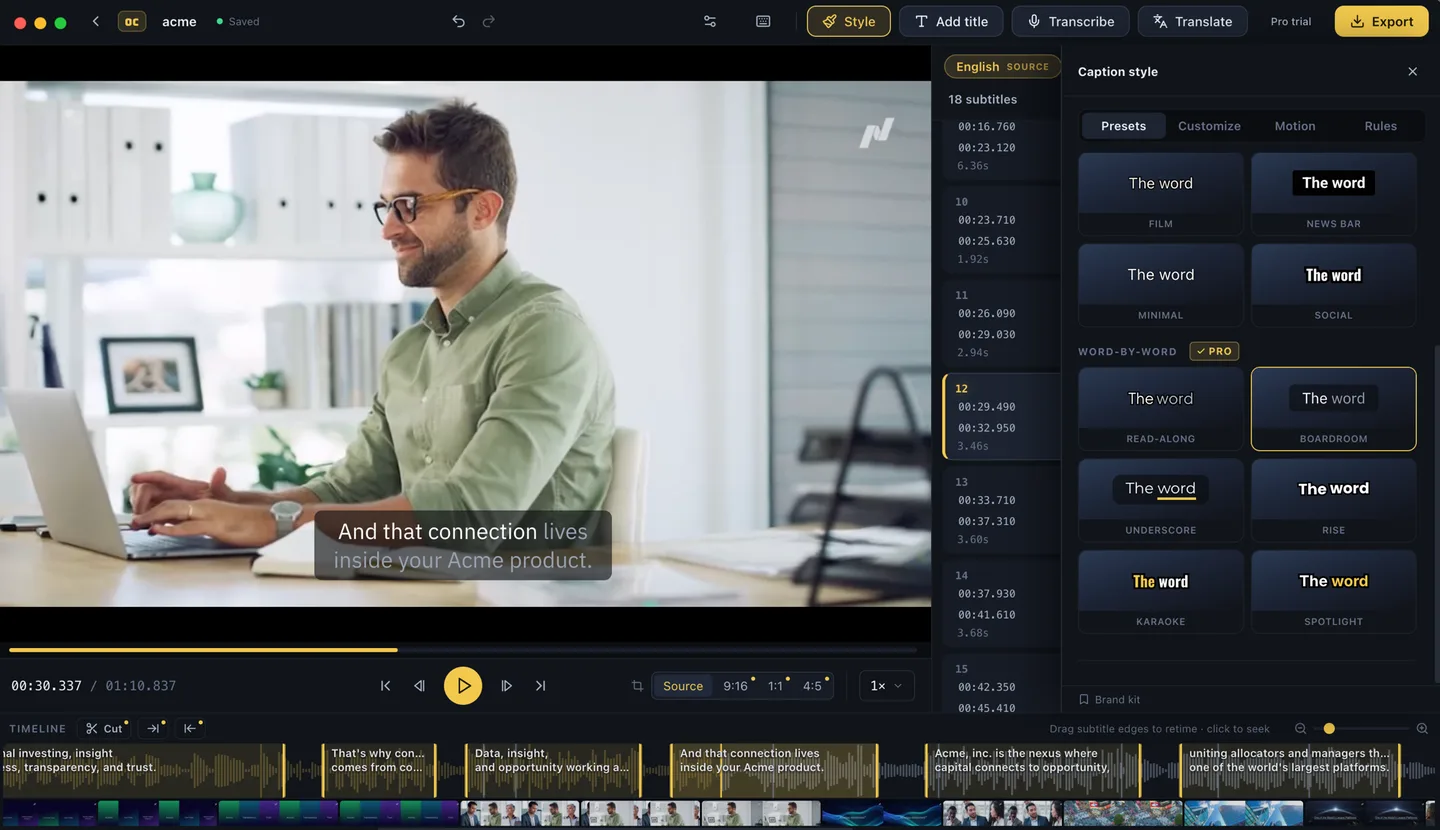
Burned in exactly as previewed
- The render matches the preview. What you style on screen is what the encoder writes, pixel for pixel, using your machine's hardware encoder.
- Real typography. Fonts, size, color, outline and position presets. Arabic, Hebrew and other complex scripts shape correctly, and Chinese, Japanese and Korean lines break properly.
- Long and large files welcome. Online burners upload your video or run inside a browser tab, and both give out on long footage. Overcaption reads from disk; an hour-long file is not a special case.
- No watermark, ever. Free burn-in goes up to 1080p and nothing is stamped on the video.
- Burning in is optional. If you would rather keep the subtitles separate, export SRT, VTT or plain text instead. Also free.
How it works
-
01
Drop in a video
Generate subtitles on-device, or import an SRT or VTT file you already have.
-
02
Pick a look
Style presets with a live preview on the video. Fix text and timing in the editor as you go.
-
03
Burn it in
Rendered locally with your machine's hardware encoder. The file never leaves your disk.
Hard subtitles or a subtitle file?
Burned-in subtitles play everywhere: social feeds, slide decks, screens in noisy rooms, players with no caption support. Viewers cannot turn them off, which is either the point or the problem. A subtitle file keeps them toggleable: YouTube, most desktop players and every editing suite take SRT or VTT.
Overcaption does both, free, from the same project, so you do not have to decide up front.
What is free and what is Pro
Burn-in up to 1080p, every export format, transcription, the editor and local translation are free with no time limit. Pro adds the finishing extras: animated word-by-word caption styles, titles, video rough cut, vertical recrops, 4K, and batch processing to burn a whole season in one run, at $99 a year or $19 a month, free to try for 14 days. Details on the pricing page.
FAQ
Is there a file-size or length limit?
No. The app reads the video from your disk, so length and size are limited by your machine, not by an upload form.
Will there be a watermark?
No. Not on the free tier, not anywhere.
Does my video get uploaded?
Never. Transcription, styling and rendering all happen on your machine.